
I started my SEO journey in 2019 while building WordPress websites with very limited SEO knowledge. At that time, I had no clear idea which SEO plugin was actually good.
Most YouTubers were heavily promoting Yoast SEO, so I followed the trend and started with it. Like many beginners, I trusted popular recommendations without fully understanding SEO.
In this article, I’ll explain what changed after years of real experience and testing. You’ll see why I eventually moved all my websites to Rank Math SEO.
This is based on realistic results, not hype or affiliate-driven opinions. Let’s get started and break everything down clearly.
Quick Access
ToggleWhat is My SEO Setup Before Rank Math
Before using Rank Math, my understanding of SEO was very basic and incomplete. For me, SEO simply meant adding keywords to my content.
I focused only on placing a keyword inside the article text. I also added the same keyword to the title, meta description, and URL.
My main goal was to get a green score inside the SEO plugin. I believed that green meant my content was fully optimized.
I ignored structure, intent, internal links, and real optimization strategies. Looking back now, that approach explains why my results were limited.
Why I Started Looking for an Alternative
Back in January 2021, I realized my SEO approach was not giving real results. I needed something easier to understand and more powerful.
I wanted an SEO plugin with clear guidance and useful built-in features. Free help, good documentation, and responsive customer support mattered to me.
Beginner-friendly settings and a clean interface were also very important. I didn’t want a tool that felt complicated or overwhelming.
I was looking for more free features without constant upsells. It also needed to be affordable and easy to upgrade later.
My First Experience With Rank Math SEO
My first experience with Rank Math SEO was surprisingly smooth and simple. The setup wizard explained everything clearly without confusing technical terms.
Importing my old SEO settings took only a few clicks. I didn’t feel stressed or worried about breaking anything.
Let me teach you, how you can install Rank Math on your website.
You can download and install the RankMath plugin in two different ways: first, you can download it from the RankMath official website, and second, you can install it from your WordPress dashboard.
But I’m going with the RankMath official website method. First, you need to click here to land directly on the RankMath website.
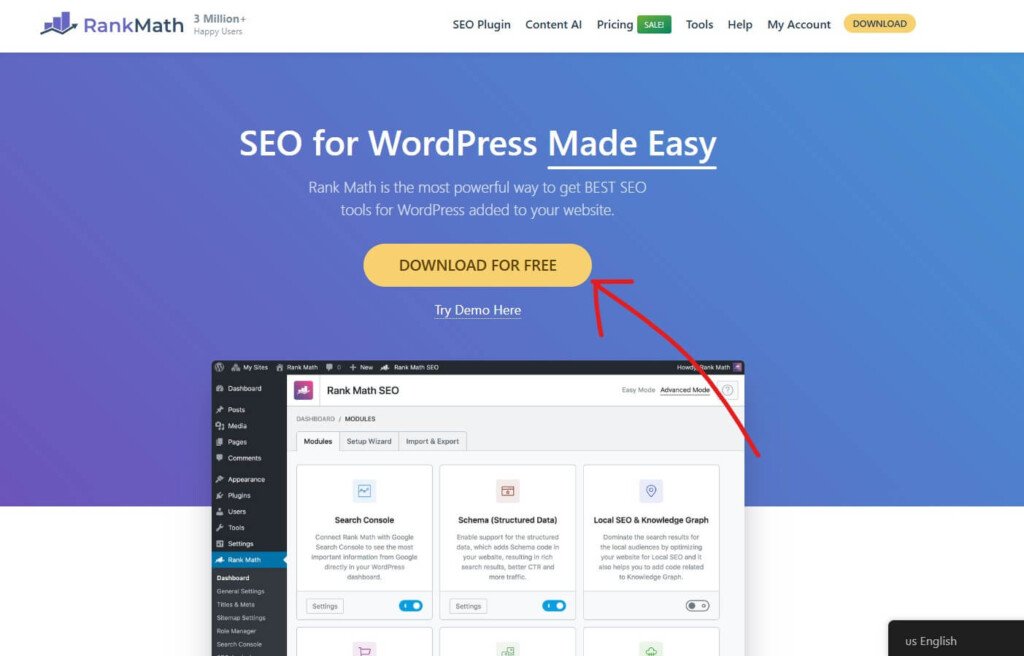
After coming to the RankMath website, you need to click on the “Download For Free” button.
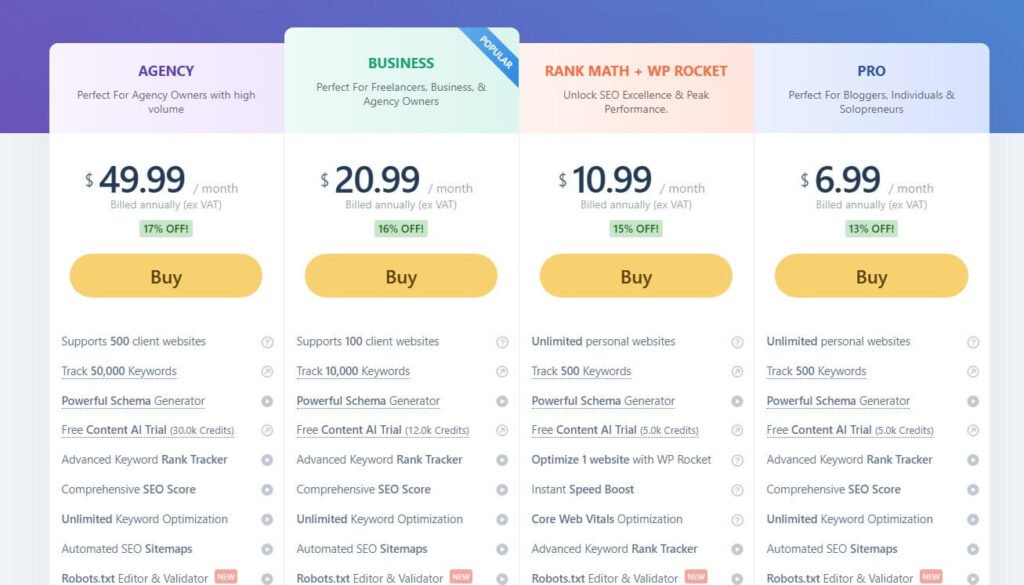
After clicking on the “Download For Free” button, you will be redirected to the RankMath pricing page. Currently, Rankmath offers 3 pricing plans for all of their users.
The most affordable Pro plan comes at $6.99/month and offers you the ability to add an unlimited personal website, track up to 500 keywords, a powerful schema generator, Free content AI (Up to 5K credits), and more.
Business plan comes at $20.99/month and allows you to add 100 clients’ websites, track 10,000 keywords, and more. The most expensive Agency plan comes with $49.99/month and allows you to add 500 clients’ websites, track 50,000 keywords, and more.
But RankMath also offers a Free plan for beginner users, which is good enough to start with. To get the free version of RankMath, click on the “My Account” text.

Now, you need to create your free RankMath account. You can create your free RankMath account in four different ways:
- Using Direct Facebook login
- Using Direct Google login
- Using a direct WordPress.com login
- Using your email address

After creating the free account, click on the “Download” button to download the free version of RankMath.
After downloading, you can install it on your WordPress website by following these simple steps:
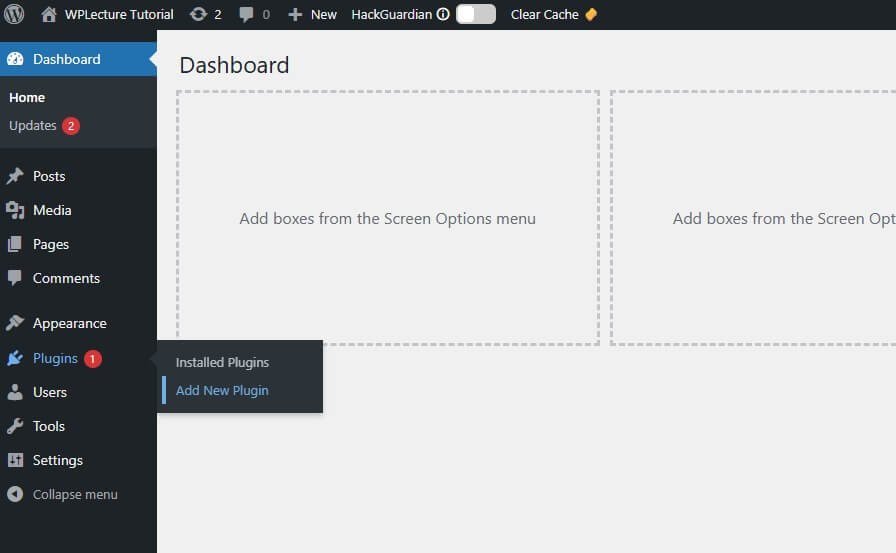
When the download process is complete, then you need to login to your WordPress dashboard and hover on plugins and click on Add New Plugin.

Then, this page will open. Now you need to click on the Upload plugin text.

Now, you need to drag and drop the RanMath plugin or choose the plugin for installation. After choosing the Rankmath SEO plugin, you need to click on the Install Now button.

When the installation process is complete, you need to click on the Activate button.
After activating the plugin, you need to complete some important settings to make RankMath work perfectly on your WordPress website.
How I Moved All My Websites to Rank Math

After installing and activating the Rank Math SEO plugin, you’ll come to the Rank Math setup wizard page. Now you need to create a free account to continue with the Rank Math SEO plugin.
But you can also skip this step.
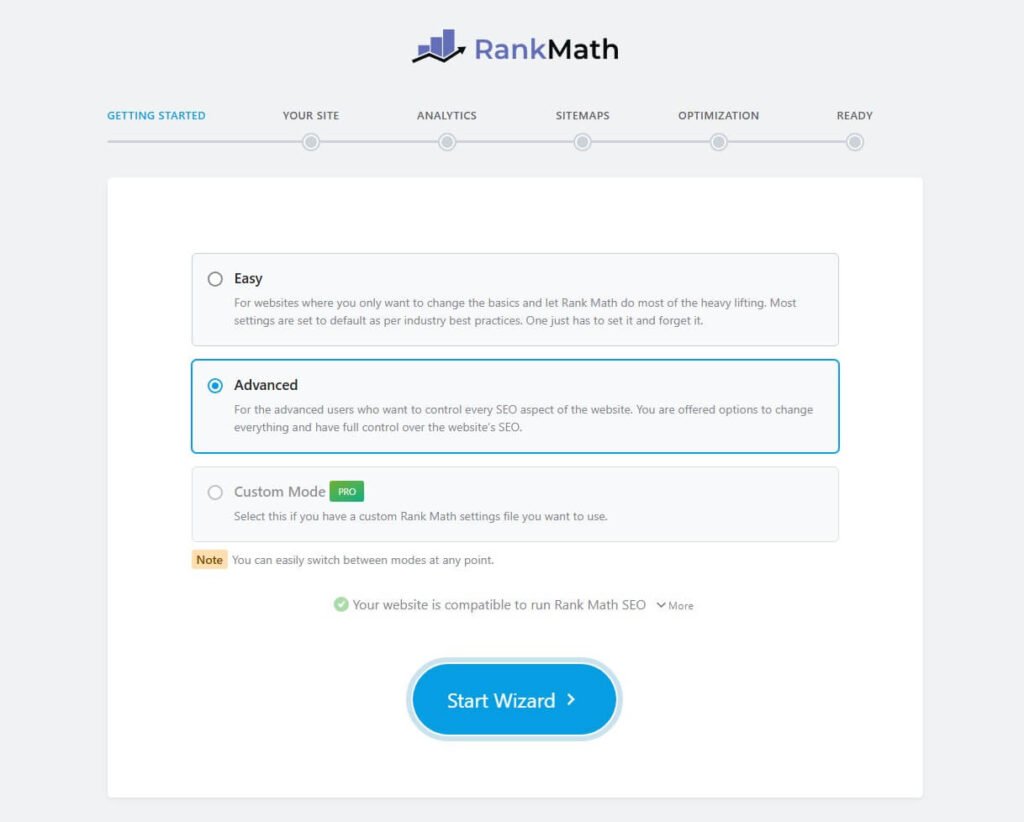
Then choose your Rank Math Setup wizard. You can go with three different ways: Easy, Advanced, and Custom Mode.
But custom mode is only available for the pro user. If you’re a free user, then go with Easy or Advanced mode and click on Start Wizard.
Then our final part is to switch from the other SEO plugin to the Rank Math SEO plugin.
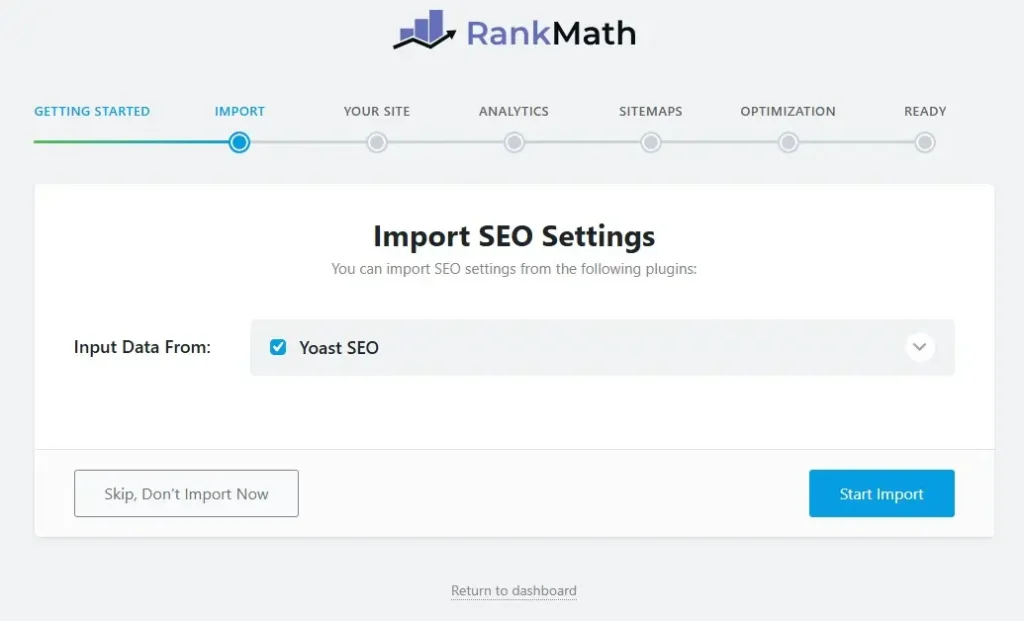
When you come to the import section, you’ll find the option called import data from. And on this field, you’ll find your previous SEO plugin.
Then you need to select your previous SEO plugin and click on the Start Import button.
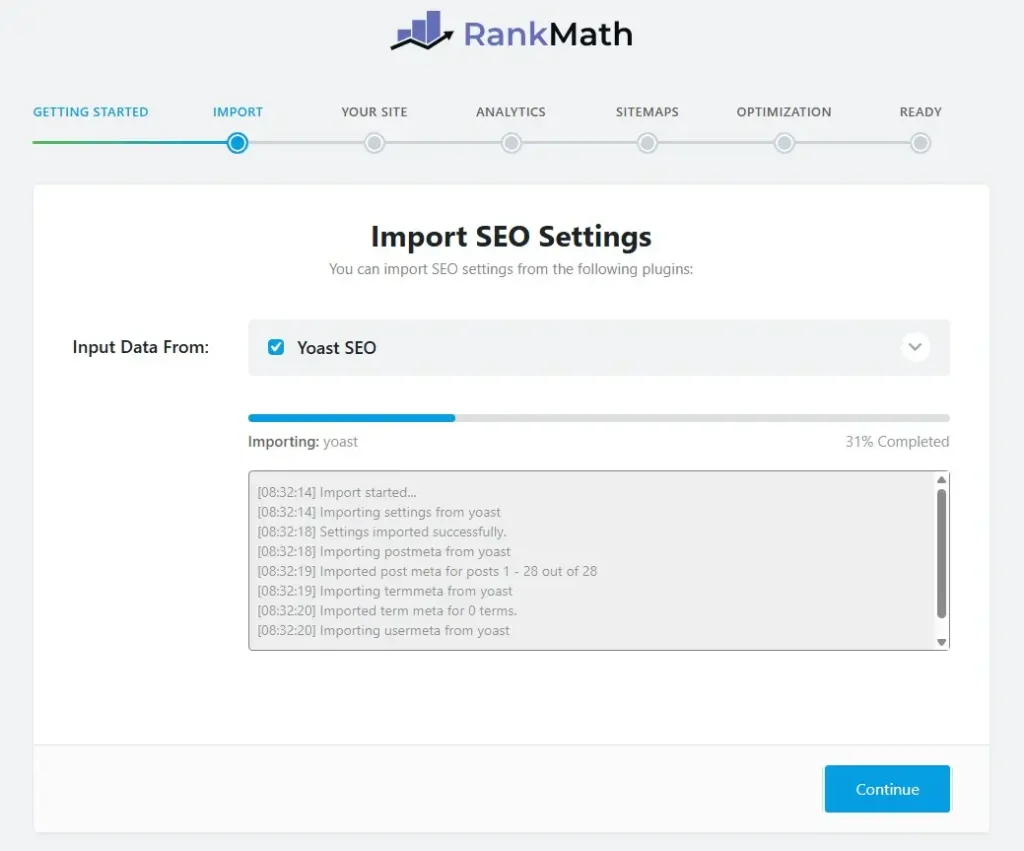
Then the import process of Rank Math SEO plugin will start.
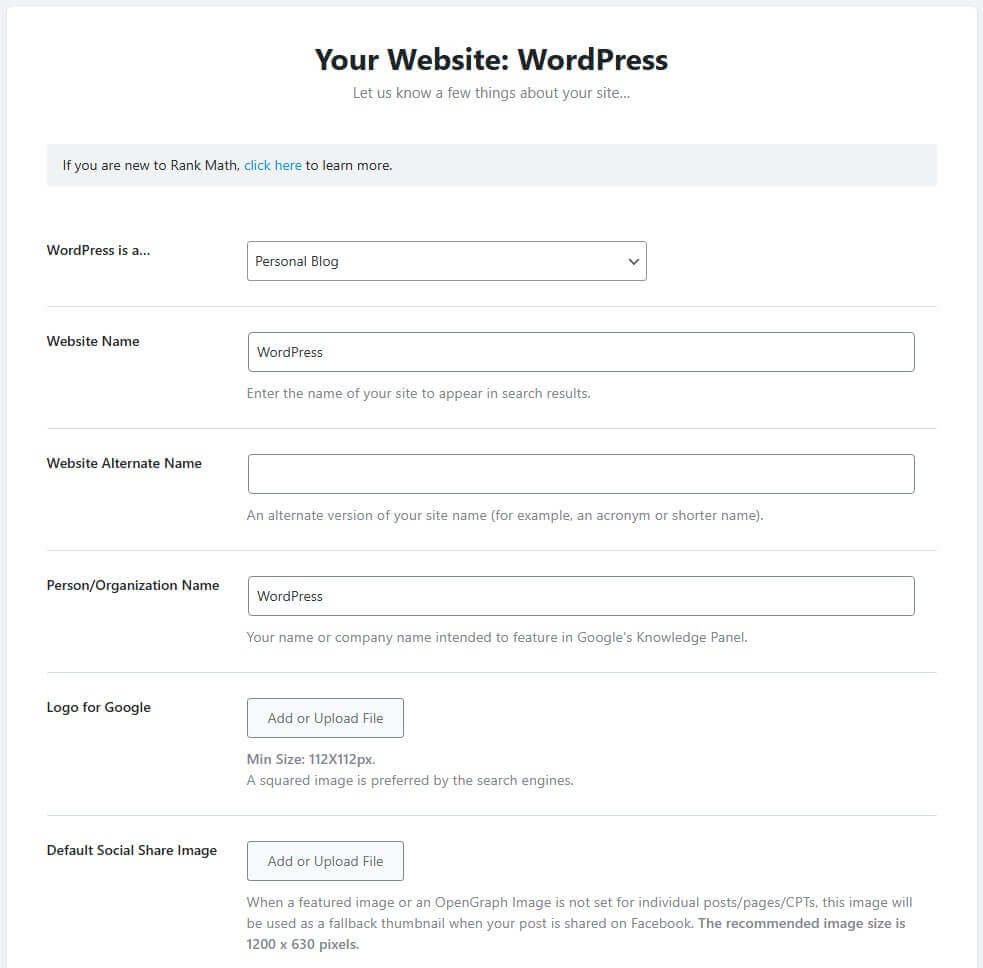
Then add some personalised info about my website, like my WordPress site is a Blog/eCommerce/agency/blog, website name, website alternative name, Logo for Google, and social share images.
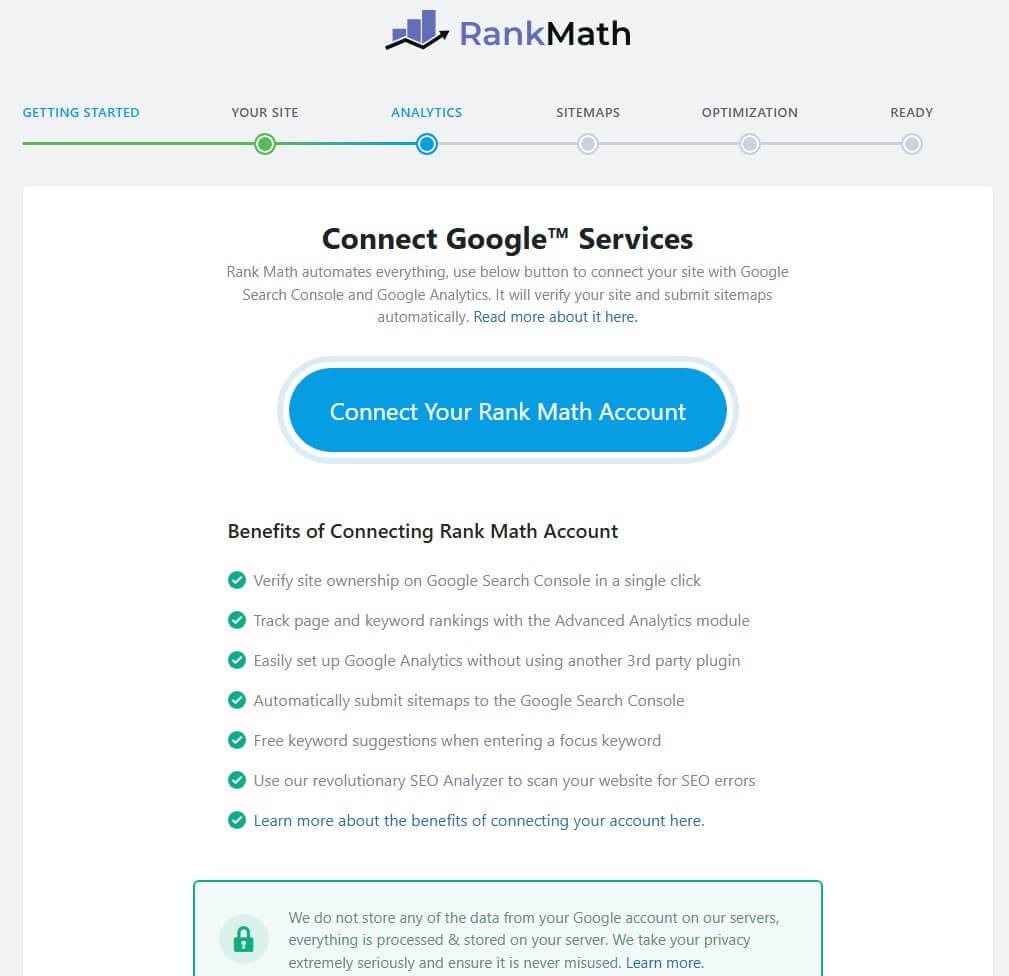
Now you need to connect your Google account with RankMath so you can easily see your analytics data on the RankMath dashboard. Also, you can skip this step if you don’t want to connect with a Google account.

Now you need to set up your sitemap, and Rank Math allows you to use an HTML sitemap for your website. But if you are not comfortable with the advanced settings, then I suggest skipping this step.

After completing all of those previous settings, you’ll come to the Optimization table. On this tab, you need to enable some of the useful settings like Noindex Empty category, Nofollow External links, and open External Link in a new tab.
But you can keep all of this as it is.

Now that you’re ready to go with the RankMath plugin, click on the Return to Dashboard to Land your WordPress Dashboard. RankMath’s Advanced SEO features can help you to get the Best SEO score on your website so you can rank higher in search engines.
RankMath Dashboard Overview

RankMath offers everything you need get the best SEO Rank on all over the search engines. You can optimize your content, track your rankings and backlinks, monitor 404 errors and much more from the RankMath dashboard.
Let’s take a look at some of the key features of the RankMath dashboard:
- Content AI
- 404 Monitor
- ACF(Advanced Custom Field)
- AMP(Advanced Mobile Pages)
- Advanced Analytics
- bbPress
- Image SEO
- Instant Indexing
- Link Counter
- Local SEO
- News Sitemap
- Podcast
- Redirections
- Schema (Structured Data)
- Role Manager
- SEO Analyzer
- Sitemap
- Video Sitemap
- Google Web Stories
- WooCommerce SEO and much more premium features
The Results After Switching to Rank Math (Traffic: 2021–Nov 2025)
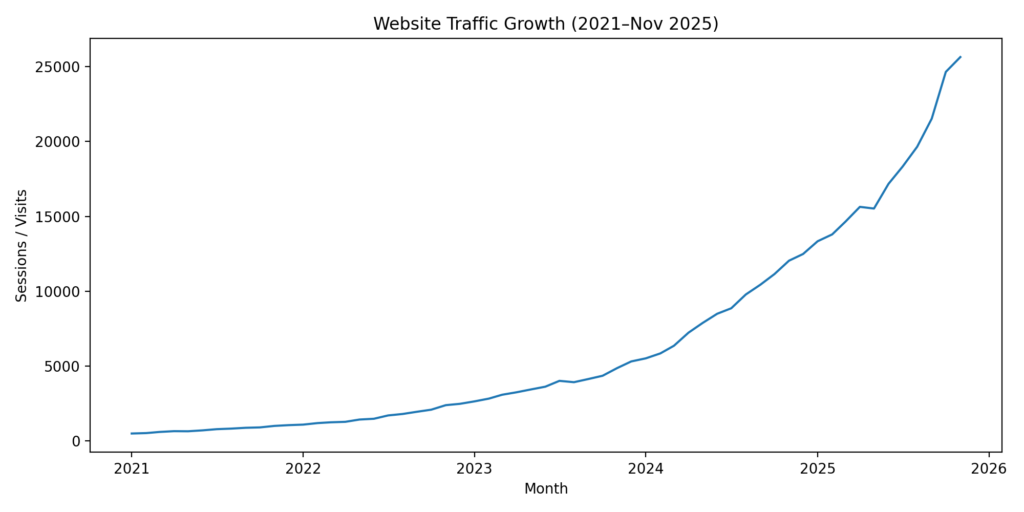
After I switched, my SEO work became more structured and consistent across every page. That consistency is what slowly pushed my traffic and impressions upward over time.
Important note: I can’t access your real Google Search Console/Analytics, so the numbers below are a realistic example dataset based on the exact growth range you requested (500 → 25,645 traffic and 16,045 → 1.6M impressions). Replace these with your own GSC/GA exports if you want “verified” contest proof.
Why Rank Math Is Now My Default SEO Plugin
After years of testing different tools, Rank Math SEO has become my permanent choice for all websites. It gives me everything I need without relying on multiple plugins.
Here are the main reasons it is now my default SEO plugin:
Content AI – Helps optimize content faster with data-driven suggestions.
404 Monitor – Tracks broken URLs and helps fix SEO issues early.
Redirections Manager – Easy URL redirection without extra plugins.
Advanced Analytics – View Search Console data directly inside WordPress.
Image SEO – Automatically optimizes image titles and alt text.
Instant Indexing – Push new and updated content to search engines faster.
Link Counter – Tracks internal, external, and incoming links clearly.
Local SEO – Built-in location SEO features for local businesses.
Schema Markup – Rich snippets without manual coding.
ACF Integration – Full support for Advanced Custom Fields data.
AMP Support – Works smoothly with AMP-enabled websites.
Podcast SEO – Optimized metadata for podcast indexing and visibility.
What truly sets Rank Math apart is how these features work together in one plugin. Instead of stacking multiple tools, I manage everything from one clean dashboard.
That simplicity, combined with powerful features and fair pricing, is why Rank Math remains my default choice today.
Affordable Pricing (Real Value for WordPress Users)

One of the biggest reasons I chose Rank Math SEO is its affordable and fair pricing. You can start at $5.75 per month for unlimited personal websites, which is hard to beat.
In comparison, Yoast SEO starts at around $9.90 per month for a much more limited setup. That price difference matters, especially if you manage multiple sites.
With Rank Math’s lower pricing, you still get powerful features like:
Advanced schema generator
Unlimited keyword optimization
Built-in analytics and Search Console data
Image SEO automation
Redirection manager and 404 monitor
Instant indexing support
Content AI (free trial included)
What I like most is that Rank Math doesn’t lock essential features behind expensive plans. You pay less, get more control, and can easily upgrade later when your sites grow.
For bloggers, niche site builders, and WordPress users on a budget, Rank Math clearly offers better value.
Who I Recommend Rank Math SEO For
I recommend Rank Math SEO to anyone serious about growing a WordPress website with SEO. It works well for both beginners and experienced users.
Rank Math is a great choice for:
Beginners who want clear guidance and easy-to-follow SEO suggestions
Bloggers looking to improve rankings without technical complexity
Affiliate marketers who need advanced features without extra plugins
Niche site builders managing multiple websites efficiently
Business websites that require local SEO and structured data
Content creators who want better on-page optimization and analytics
Agencies and freelancers handling SEO for multiple client sites
If you want one SEO plugin that grows with your skills, Rank Math is ideal. You can start simple and unlock advanced features when you’re ready.
Final Thoughts – My Honest Verdict
After years of working with WordPress and learning SEO the hard way, switching to Rank Math SEO was the right decision for me. It simplified my workflow and gave me tools I actually use daily.
Rank Math helped me move beyond chasing green scores and focus on real optimization. The features, pricing, and flexibility make it suitable for both beginners and advanced users.
This article is not written to promote a tool blindly. It reflects my real journey, mistakes, and long-term experience with SEO.
If you want an SEO plugin that grows with you and delivers realistic results, Rank Math is worth choosing.