Paid partnership with Bluehost. #SponsoredbyBluehost. I earn a commission if you sign up through my links. This is based on my own build.
Back in 2017, when we started our website journey, creating a website from scratch was a much more technical process. You had to choose hosting, install WordPress, pick a theme, and spend hours figuring out plugins before you could publish anything.
Now, in 2026, after the AI revolution, building a website can be much easier than before. With Bluehost AI Builder, you can start for free, describe the site you want, and let AI generate personalized design pages and write content in minutes.
If you just want to start and try something new without spending any money, then you can go with Bluehost AI Builder.
Try it here: Bluehost AI Builder (I earn a commission) to start your journey with Bluehost AI.
Quick Access
ToggleWhat is Bluehost AI Builder?
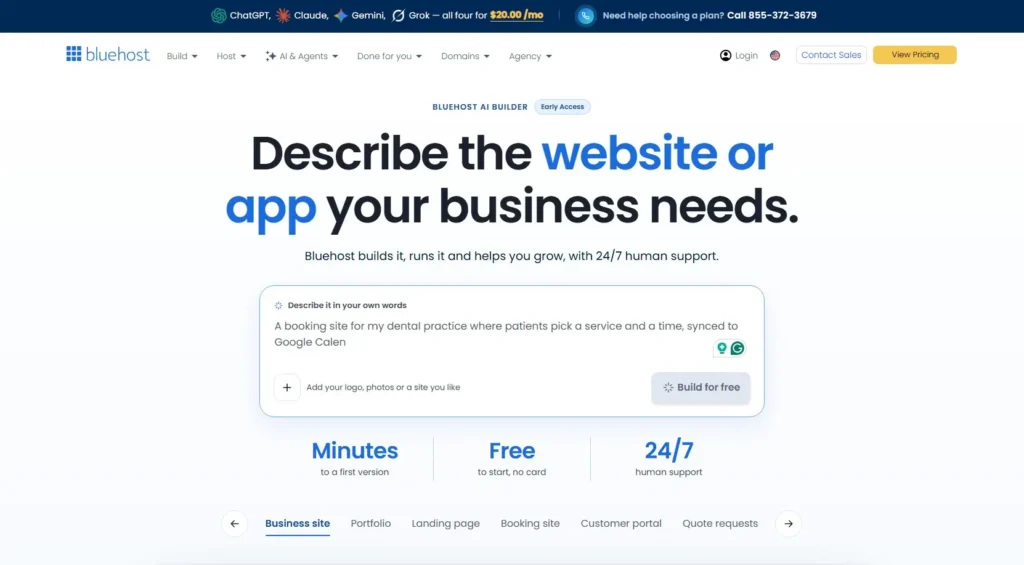
Bluehost AI Builder is an AI-powered website creation tool designed to help beginners build a professional website without learning a single line of code.
And their AI Builder is very beginner friendly, you’ve to provide your website logo or a similar website URL, and describe about your website requirements. And you’ll be happy to know that you don’t even pay for your hosting either.
You can use it to build business websites, portfolios, landing pages, and blogs. No WordPress knowledge or coding is needed, which makes it a good starting point if you’ve never built a site before.
One thing I want to mention before showing you how to create a website with the help of their AI Builder: Bluehost AI Builder doesn’t support e-commerce websites. But you don’t need to worry because Bluehost AI Store Builder helps you do that.
How You Can Build a Website with Bluehost AI Builder
First, you have to click on the Bluehost AI Builder (I earn a commission) to get started.
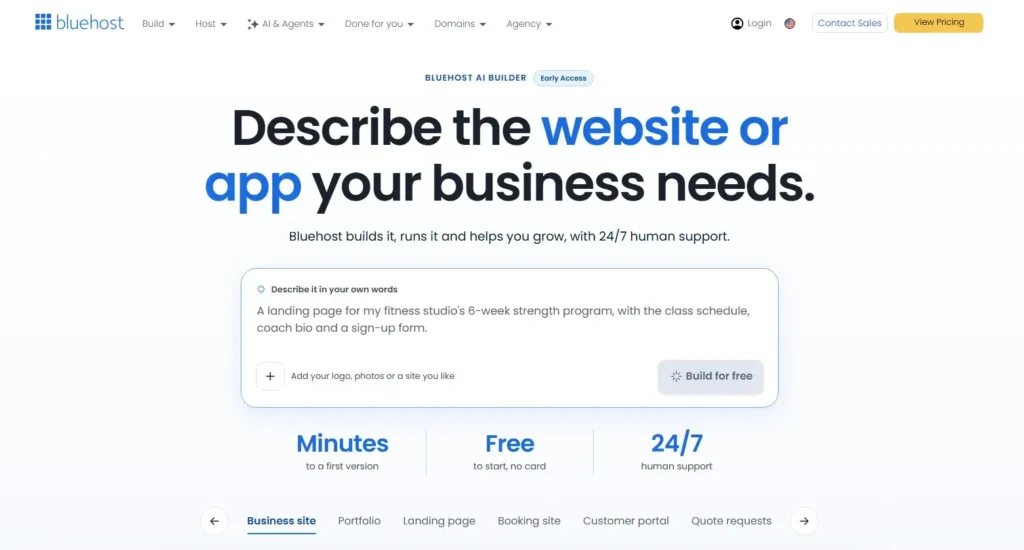
Once you comes to this page, then you’ve to click on the + icon to go to the next step.
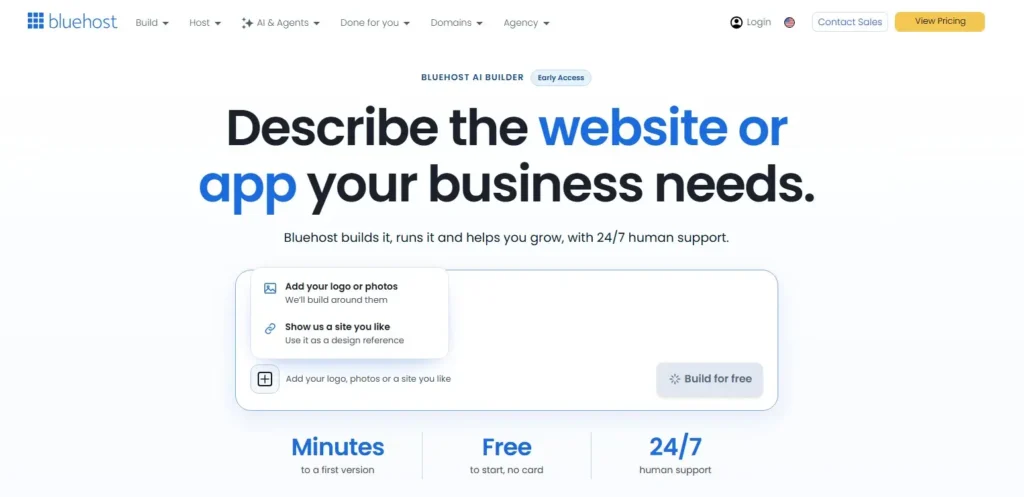
Now you have two different options: you can go with “Add your logo or Photos”, or you can go with “Show us a site you like”.
If you upload a logo for your website, then Bluehost AI will make your website around your logo. But if you add a site URL you like, then Bluehost AI will make a similar site to the website you’re showing.
So, Let’s go with the second option, “Show us a site you like”.
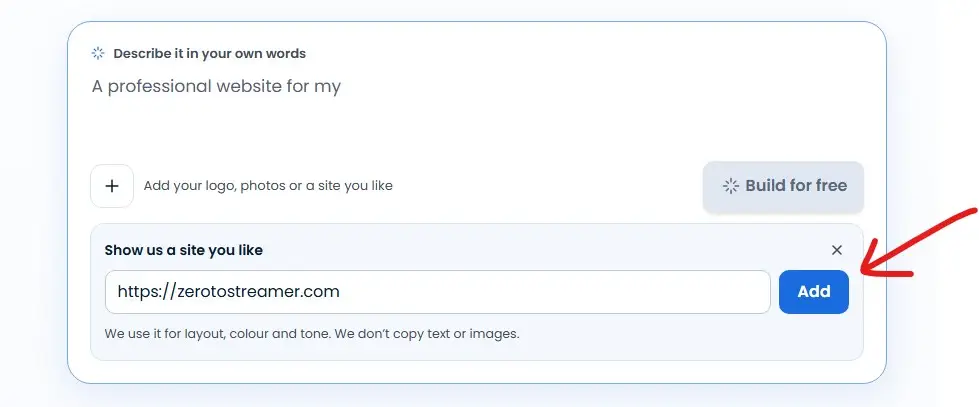
Now you have to paste your URL and click the Add button to go to the next step.
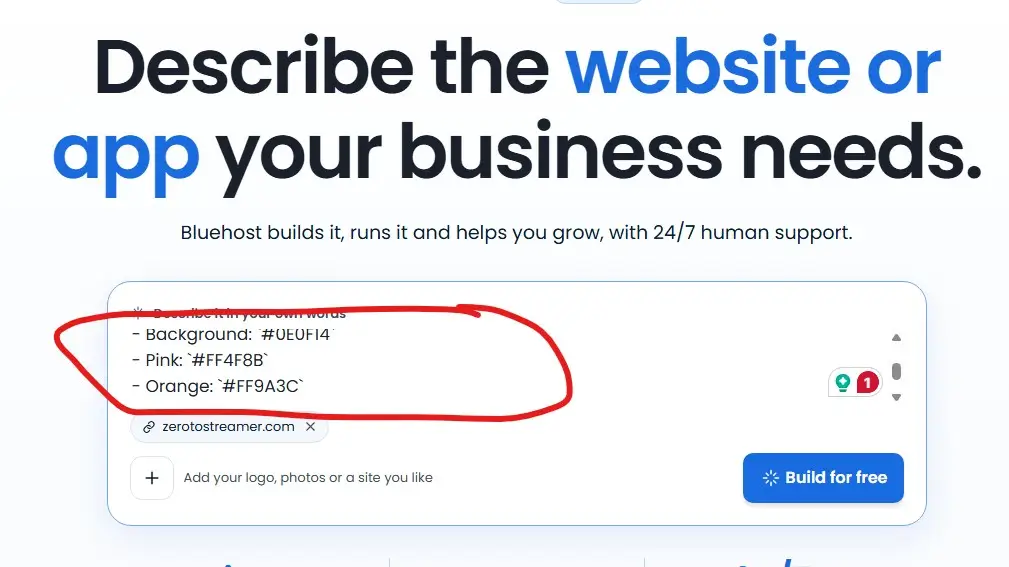
On this step, you’ve to describe about your website, including its purpose, target audience, and the type of content you want to display. Try to use clear and simple words, so Bluehost AI can understand the website you want to create.
For example, if you want to create a blog website, then you can write something like: “I want to create a personal blog website where I share tips about digital marketing, blogging, and making money online.”
Once your finish with that, then you’ve to click on the “Build for free” button.
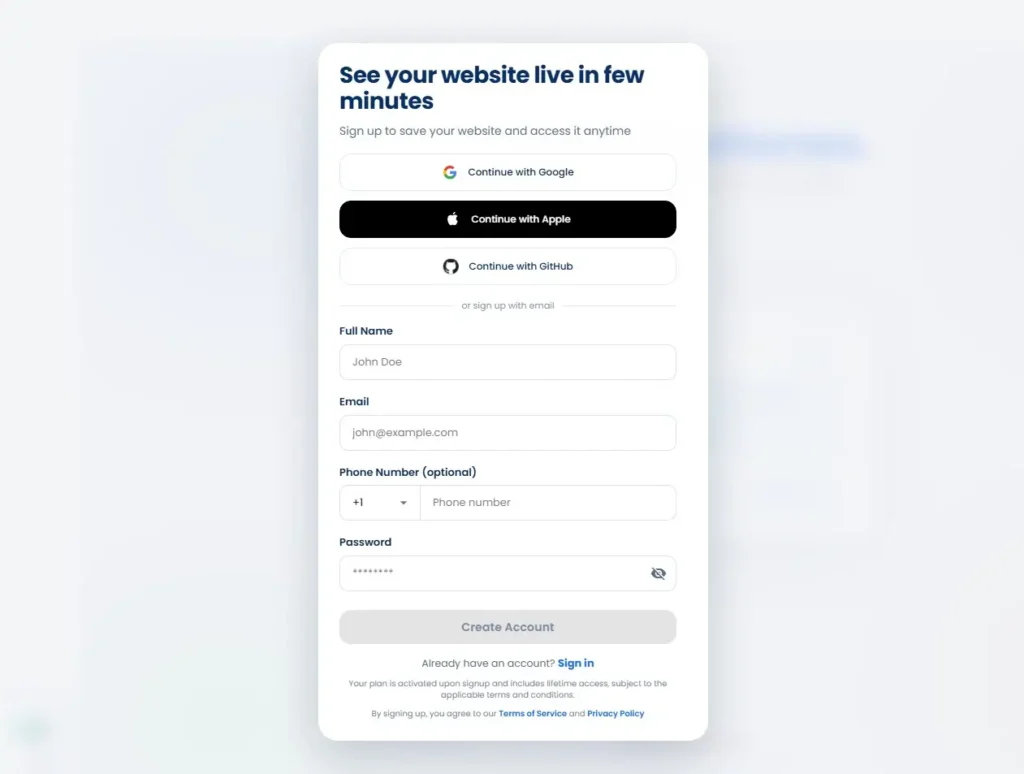
After you come to the Bluehost Sign Up page, you need to create a new Bluehost account by entering your name, email address, phone number (optional), and password. You can also sign up with your Google, Apple, or GitHub account if you want to save time.
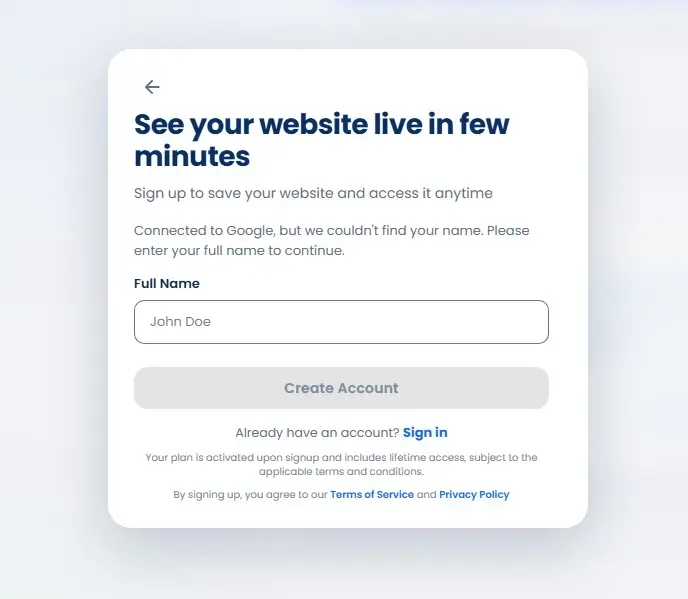
Now type your name and click on the “Create Account” button to see your website live in a few minutes.
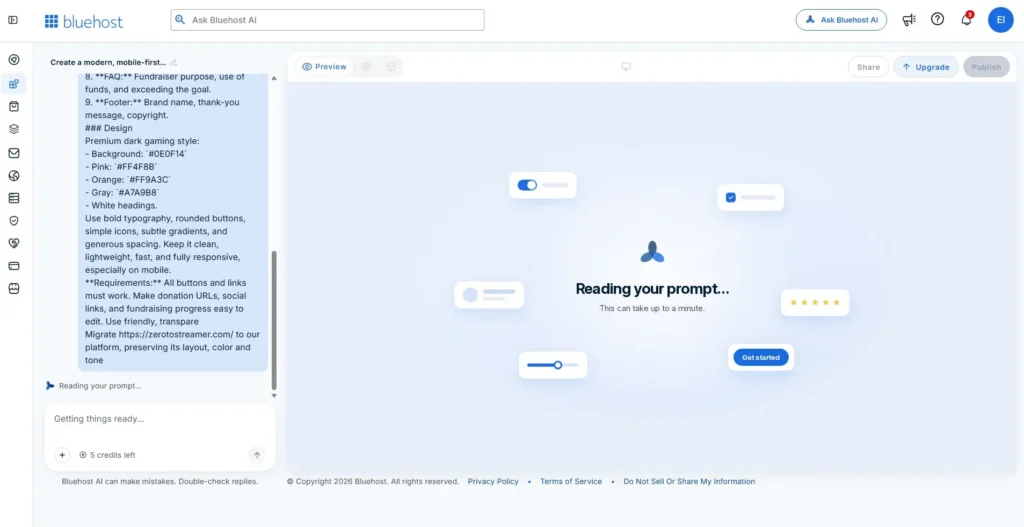
Once your come to this step, then you just have to wait for a few seconds on this time Bluehost AI Builder will read your prompt and generate a personalized website layout based on your requirements.
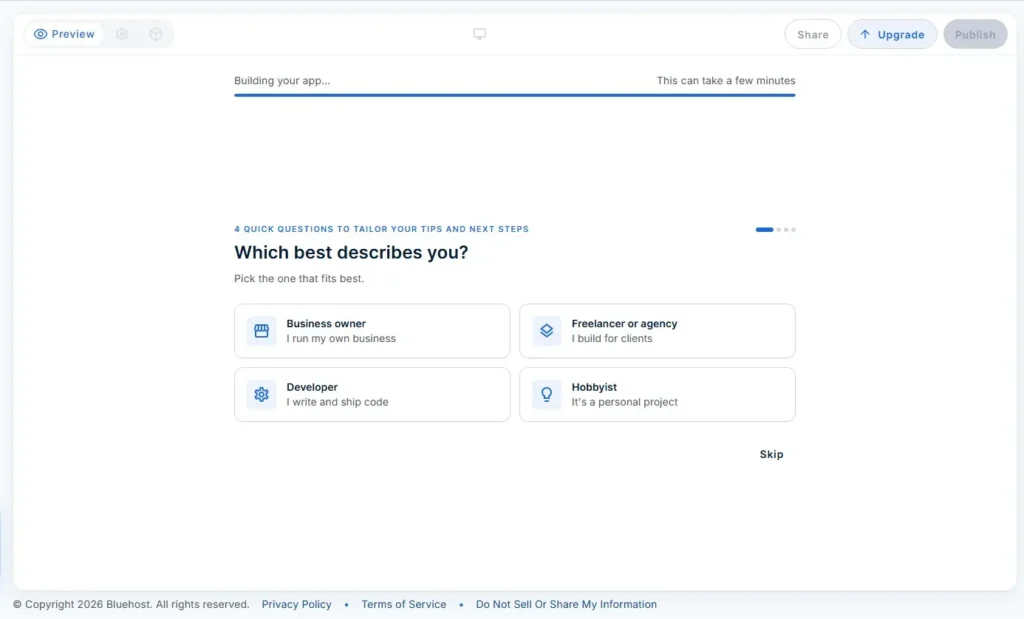
Now, this is not a necessary step; in this step you have to describe yourself like you’re a Business owner, freelancer, agency, Developer hobbyist, or you can skip this step.
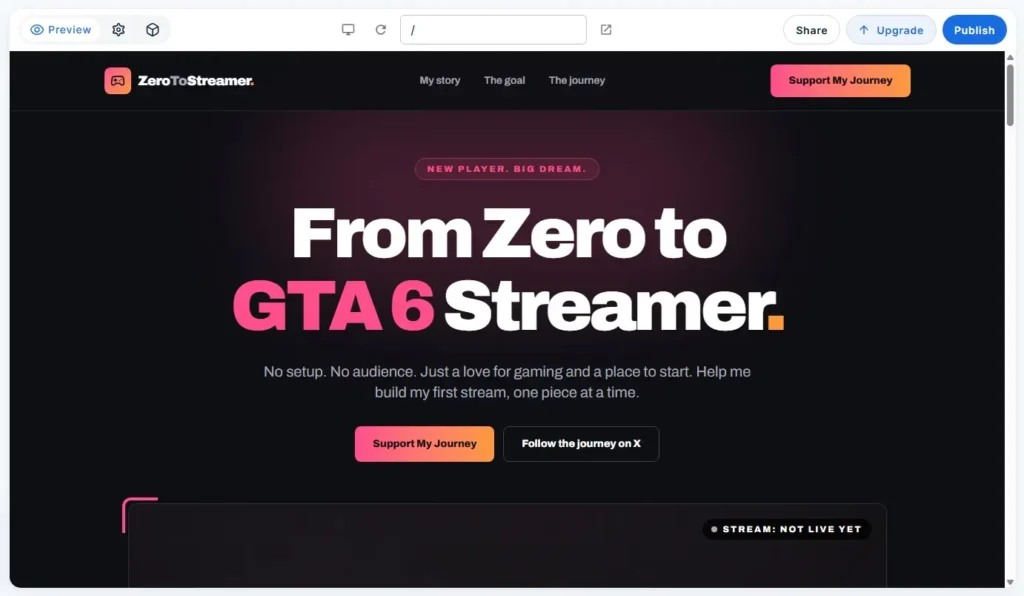
Then your site will be ready to publish. If you just want to publish your website, then just click on the Publish button in the top right corner.
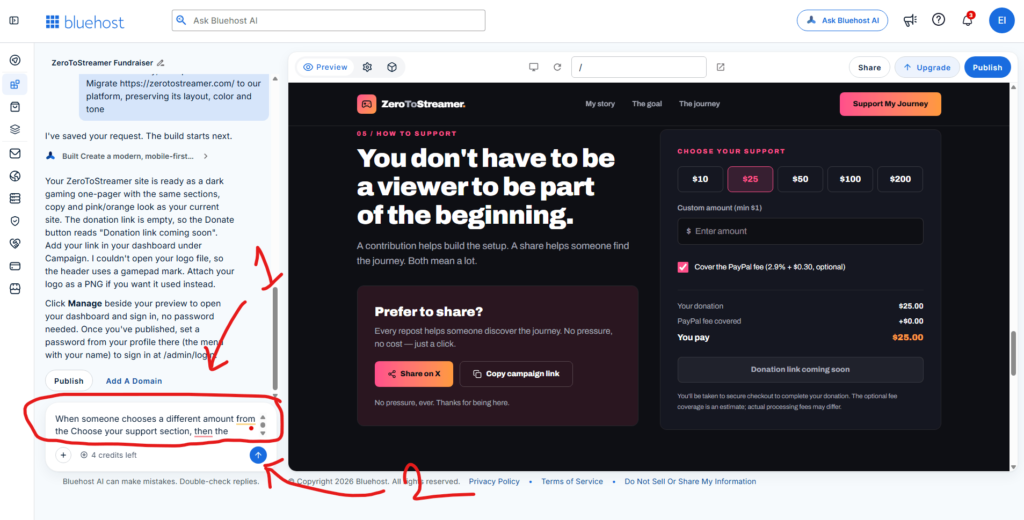
If you want to edit something on your page, then just add your new prompt text in this selected box and click on the Submit button.
Note: one prompt costs you one credit, so make sure your prompt is clear and specific before submitting it. You can also use the preview option to check how your website looks on desktop and mobile devices.
Once everything looks good, click on the Publish button to publish your website online.
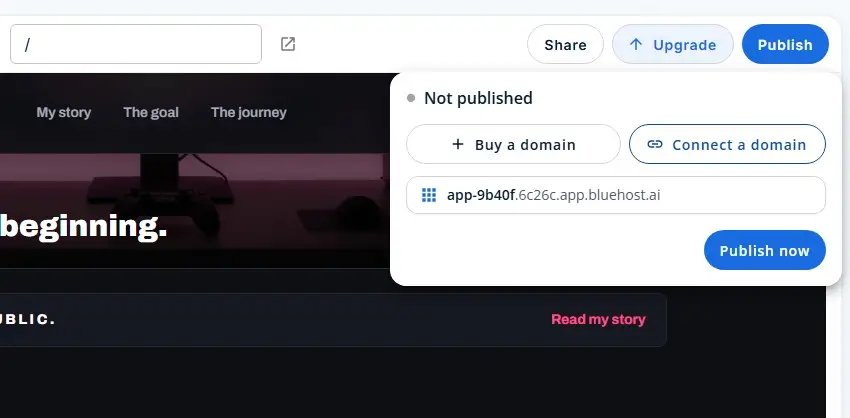
Once you click on the Publish button, this pop-up will appear on your screen. With the Bluehost AI Builder free plan, you have to host your website on a free subdomain.
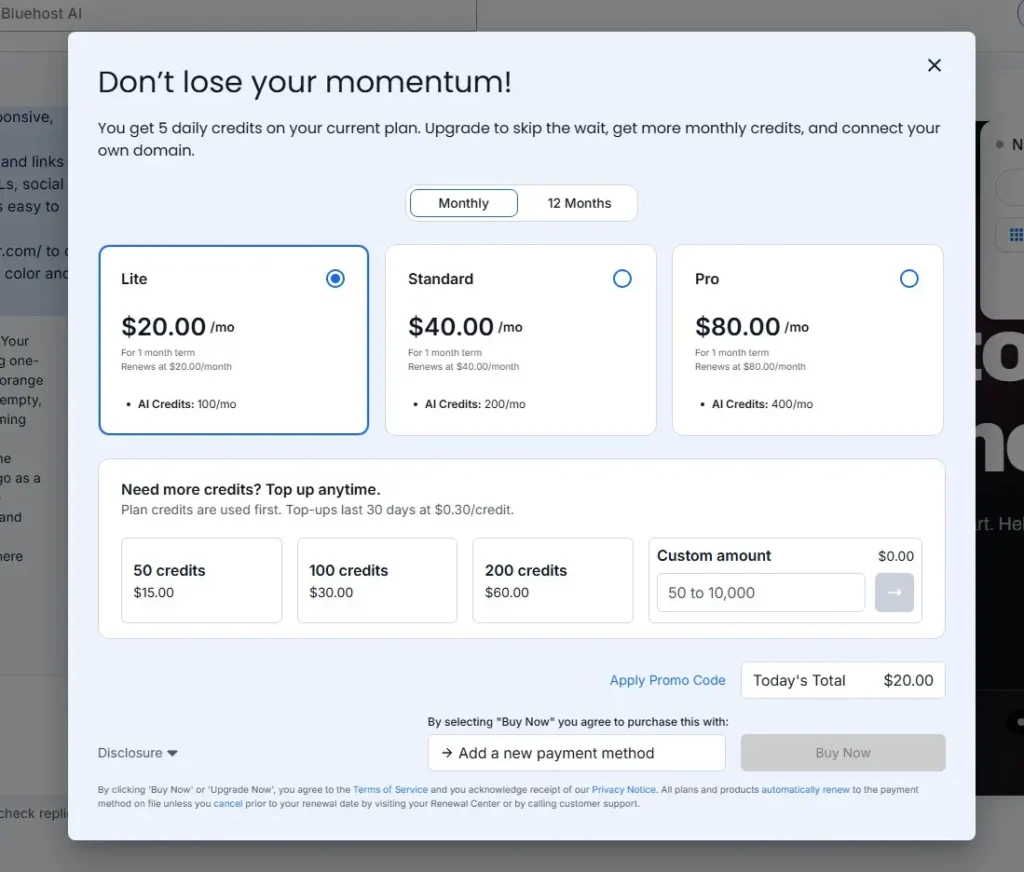
If you want to add your custom domain and get more credit to changes your website, then you’ve to go with their premium plan.
Bluehost AI Builder’s most affordable Lite plan starts at $20/month (for monthly billing), but if you go with their annual plan, then this Lite plan costs you around $16/month.
If you just want, you can go with their free plan, close this pop-up, and click on the Publish button to launch your website.
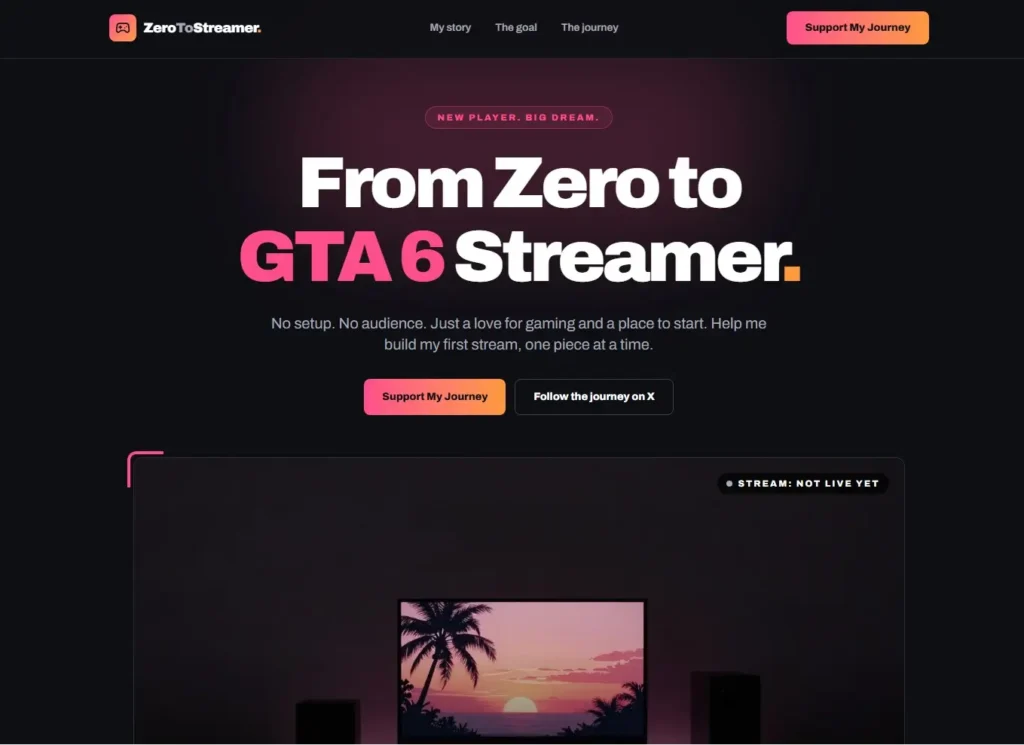
Then your website will be live, and you can share its link with anyone. You can also come back later to edit the text, replace images, or upgrade your plan when you are ready to connect a custom domain.
Here is the website: app-9b40f.6c26c.app.bluehost.ai I created with Bluehost AI Builder.
Here're few Pros and Cons About Bluehost AI Builder
Pros
- You can start free with no credit card.
- Hosting is included and never uses credits.
- You can edit anything through chatting.
- Your site stays online if credits run out.
- 24/7 Customer support with real people.
Cons
- Free plan has a daily credit limit.
- You can't add a custom domain with free plan.
- There is no ecommerce support yet.
Frequently Asked Questions
Is Bluehost AI Builder free?
Yes! Bluehost AI Builder is fully free to use, and no credit card is needed to start your website with its help.
Do I need a credit card to try it?
No! There is no credit card required for it. You just need an email address to create your account and begin building your website.
How do credits work?
One message uses one credit.
Can I use my own domain?
Yes, but you need a paid plan.
Is a site built with Bluehost AI Builder mobile-friendly?
Every site is mobile-responsive and opens in any browser on phones, tablets, and computers.
Can I build an online store with it?
Not yet. Bluehost AI Builder doesn’t support e-commerce at this time. If you want to sell products online, Bluehost AI Store is the better option.
Conclusion
Bluehost AI Builder makes it easy to go from an idea to a live website. I described my site in one sentence, refined it by chatting, and published it on the Free plan without entering a credit card. It’s $0 to start, and paid plans start at $20/mo if you want your own domain or more credits.
It isn’t perfect. The Free plan’s daily credit limit means you need to plan your edits, and it doesn’t support e-commerce yet. But if you’re a beginner, freelancer, or small business owner who wants a site without code, it’s worth trying.
Ready to build yours? Try Bluehost AI Builder here (I earn a commission if you sign up through this link)
Paid partnership with Bluehost. I earn a commission on sign-ups through my links.
#SponsoredbyBluehost #BluehostAIBuilder #BuildAWebsite